The Most Accurate Lie Detection App Available
Using your iPhone's camera to measure heart rate variability and stress responses during questioning, our app delivers approximately 70% accuracy - making it the most genuine detection app on the App Store. While others are purely entertainment, we use real biometric analysis for meaningful results.
How it works: Place your finger on the camera, answer questions, and our advanced algorithm analyzes heart rate changes and stress indicators to detect potential deception. Perfect for fun with friends or personal insight - not for professional use.
Experience Lie Detection
Our mobile app brings deception detection technology directly to your smartphone
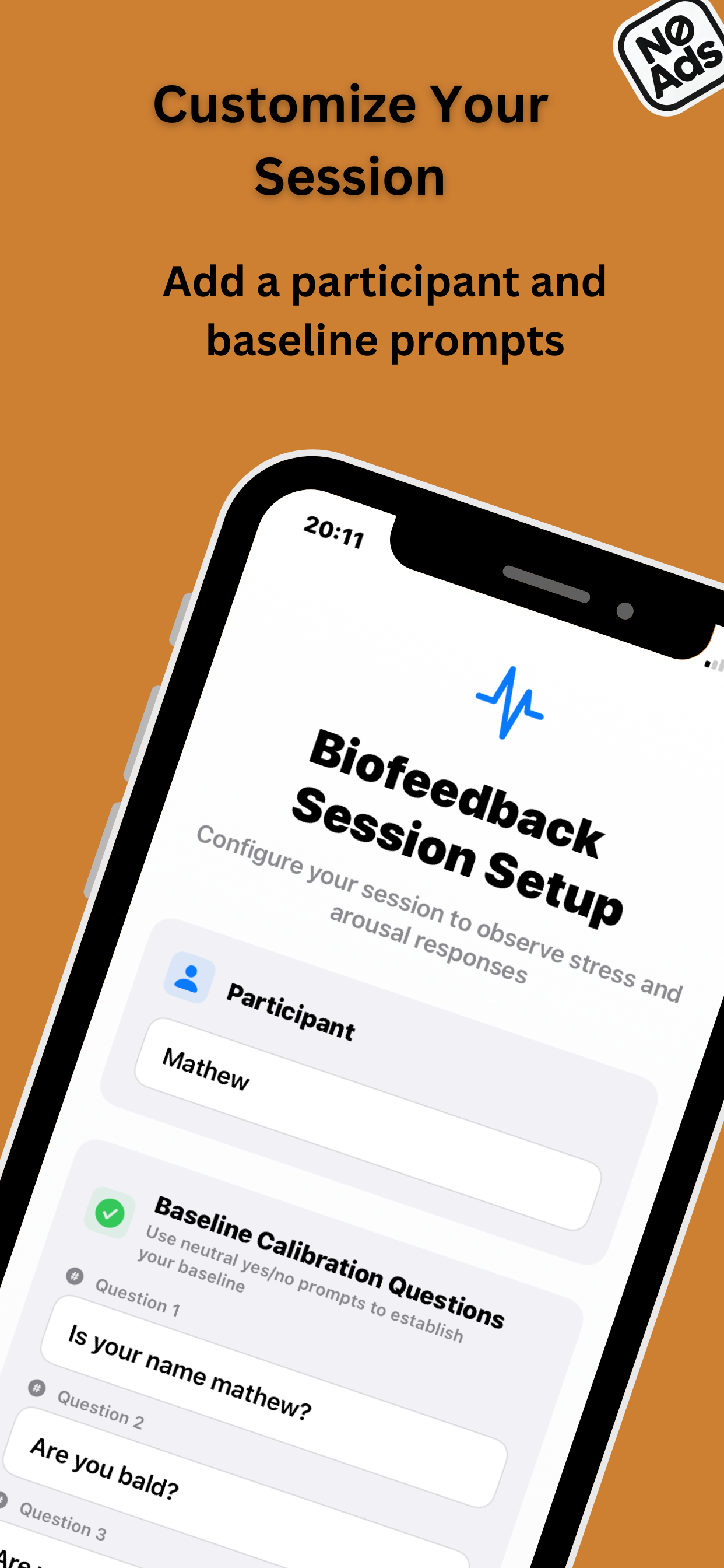
Easy Session Setup
Configure your detection session with customizable parameters and test types tailored to your specific needs
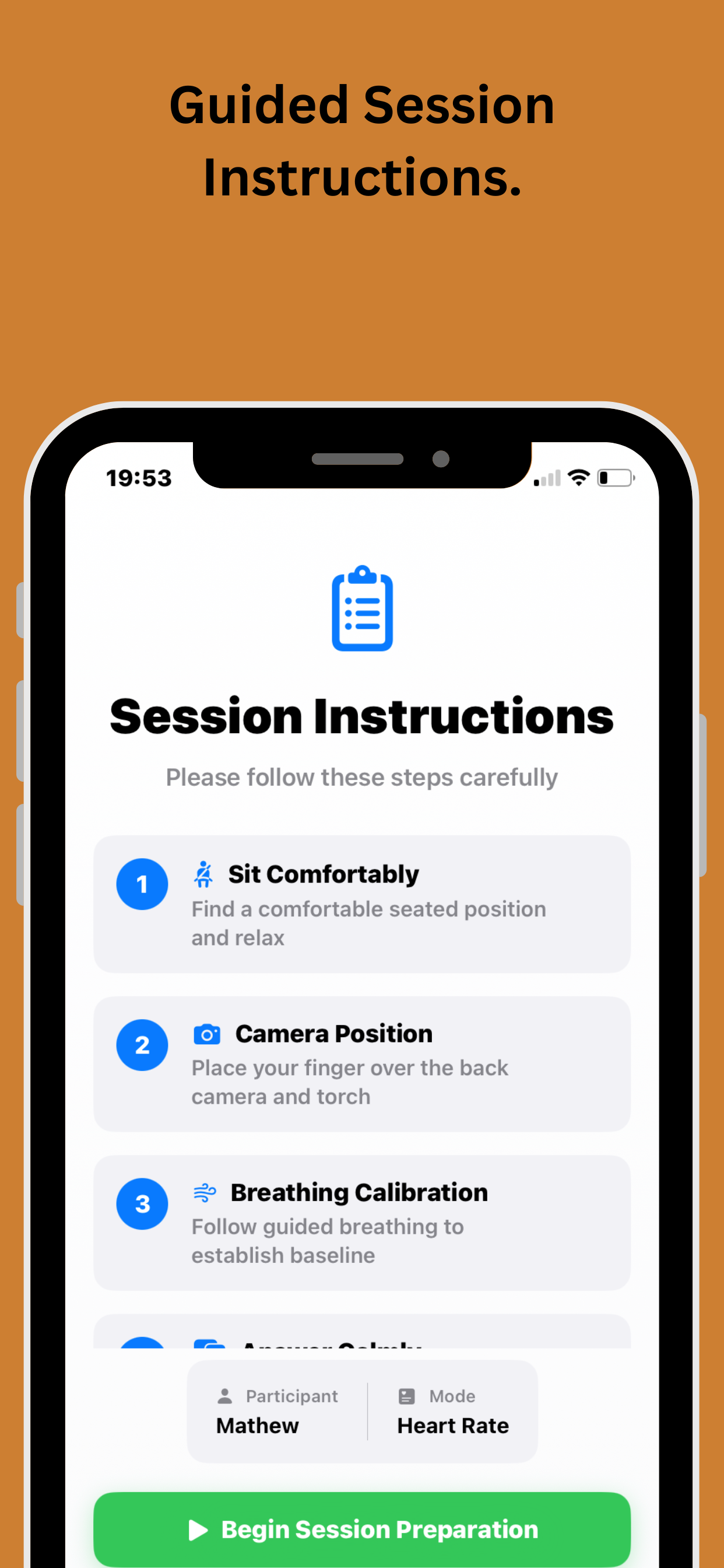
Clear Pre-Test Guidance
Step-by-step instructions prepare users for optimal test conditions and accurate results
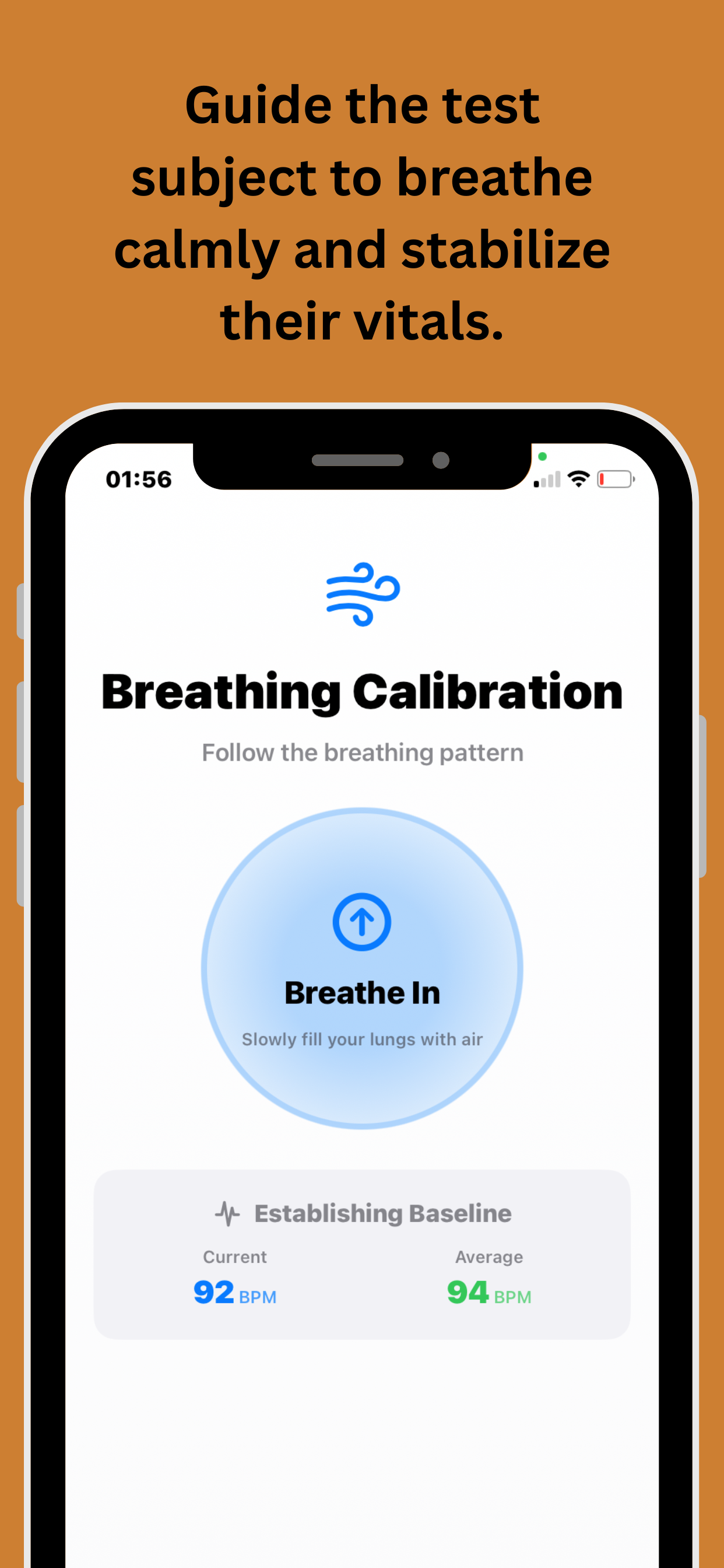
Breathing Technique Guide
Scientifically-backed breathing exercises help users achieve the calm state needed for accurate readings
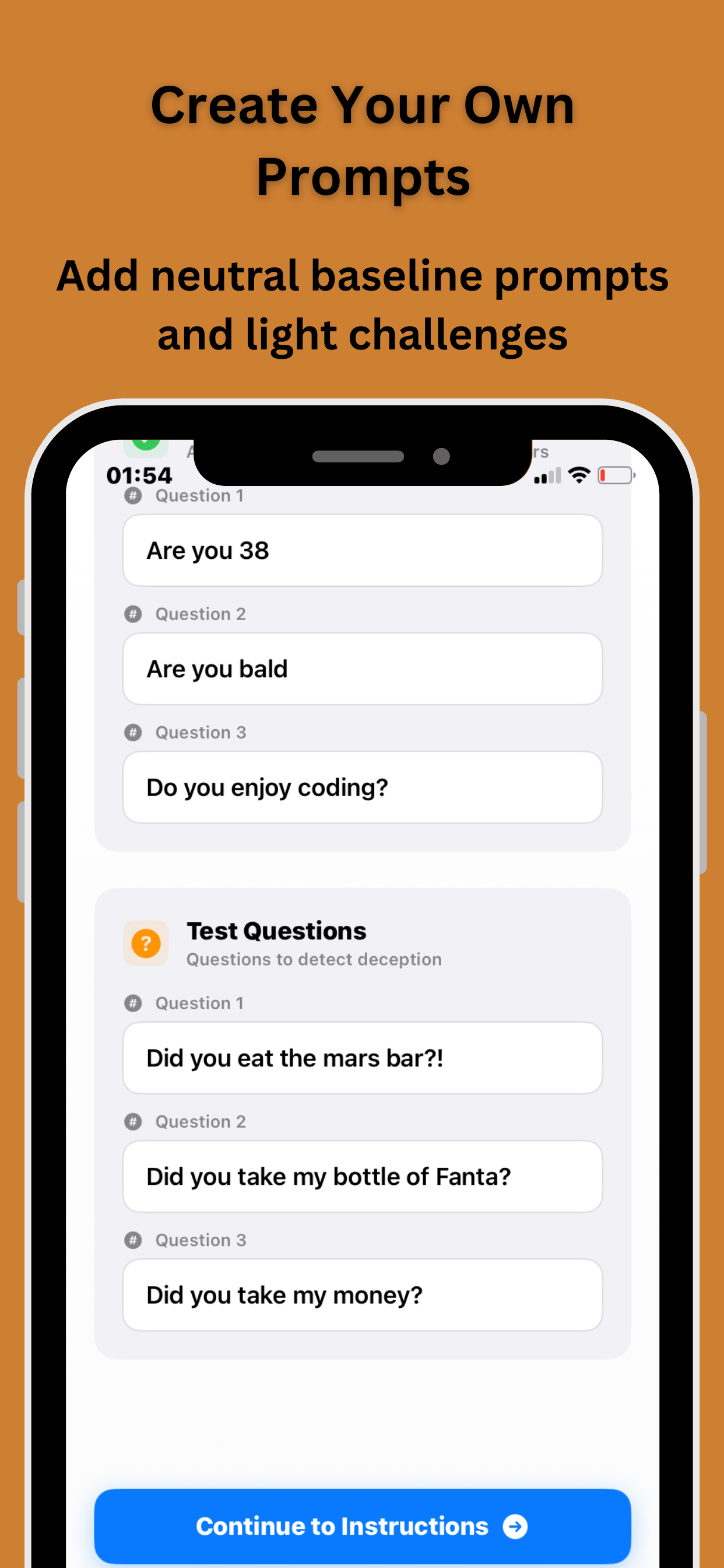
Custom Question Setup
Enter and organize your specific questions for targeted deception detection analysis
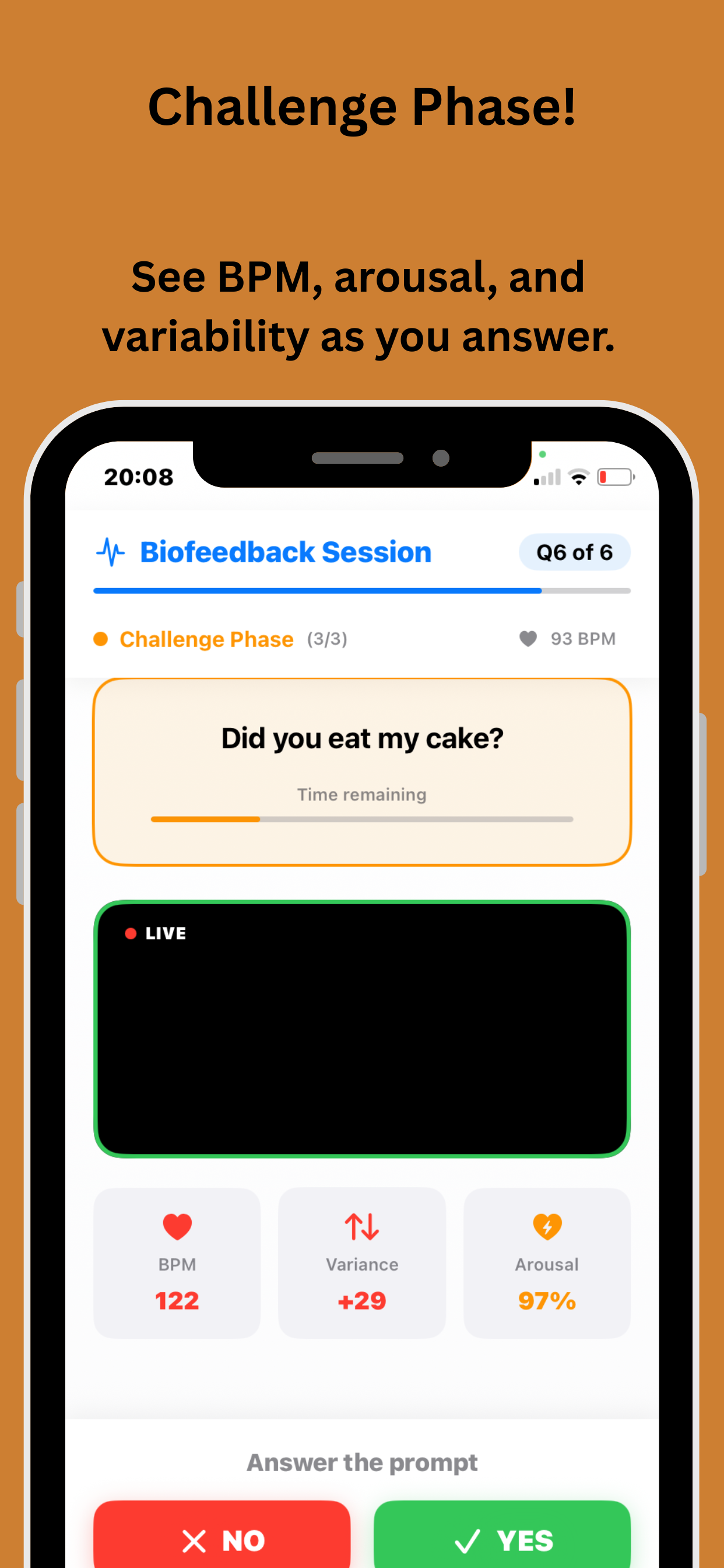
Interactive Testing Process
Watch the detection algorithm work in real-time as questions are presented and responses analyzed
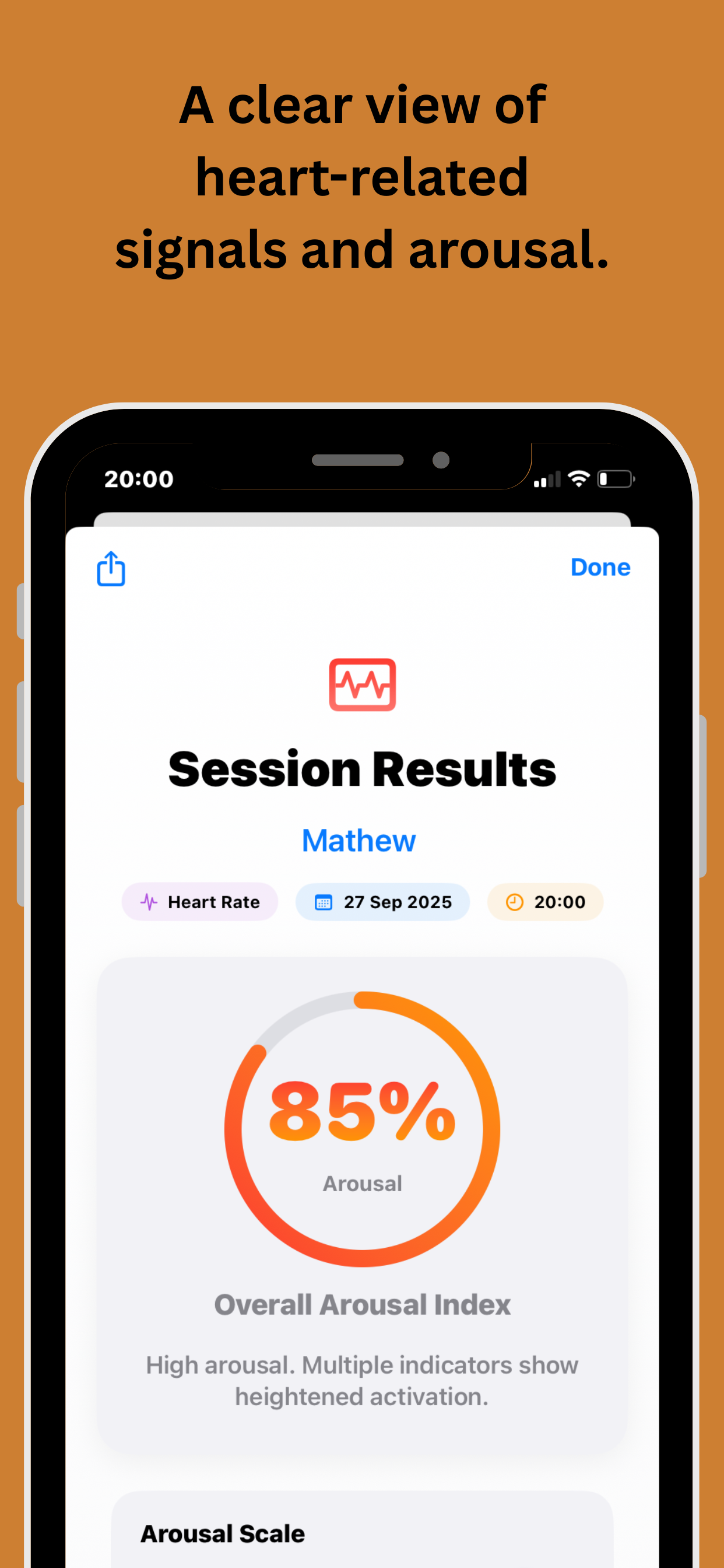
Instant Results Analysis
Get immediate feedback with probability scores and detailed analysis of each response
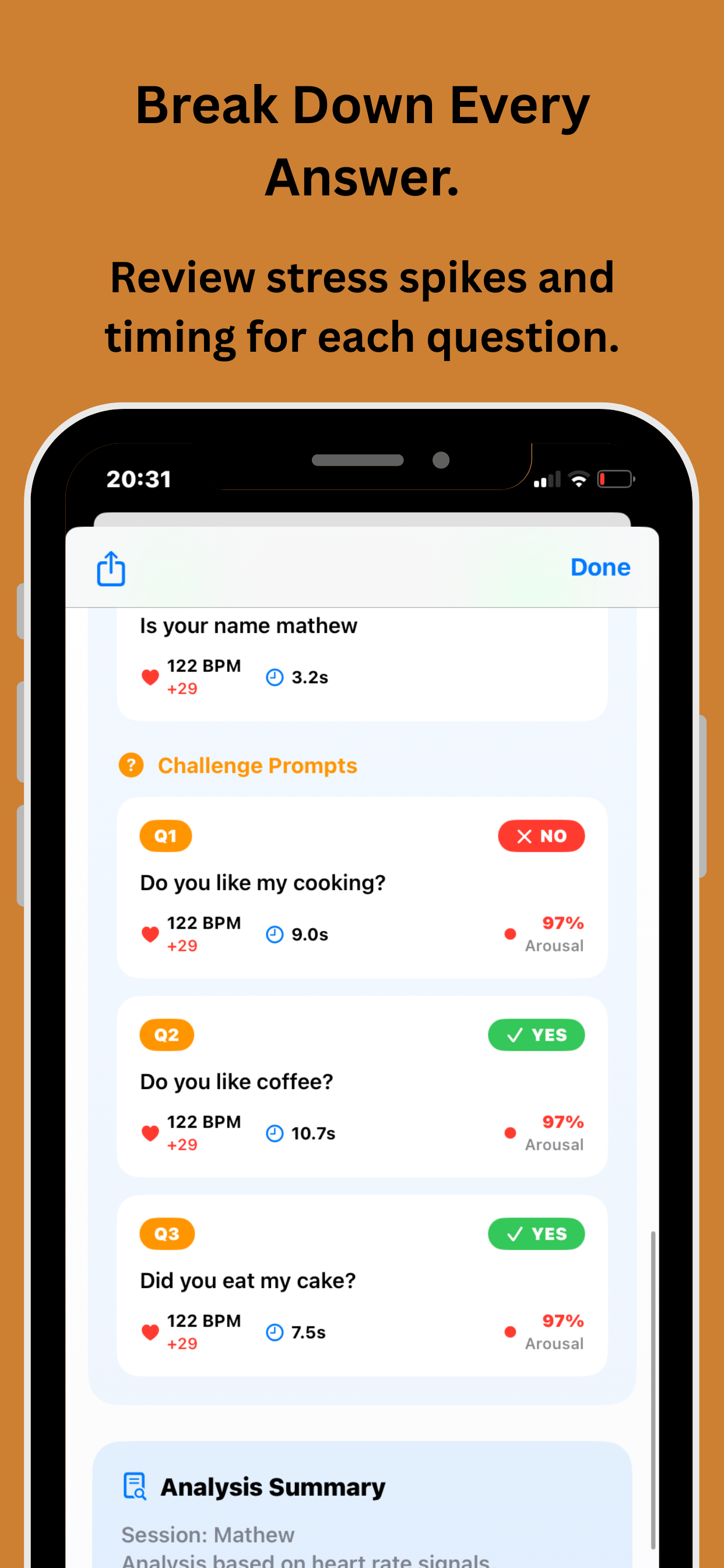
Detailed Q&A Breakdown
Comprehensive analysis of each question and answer with individual deception indicators
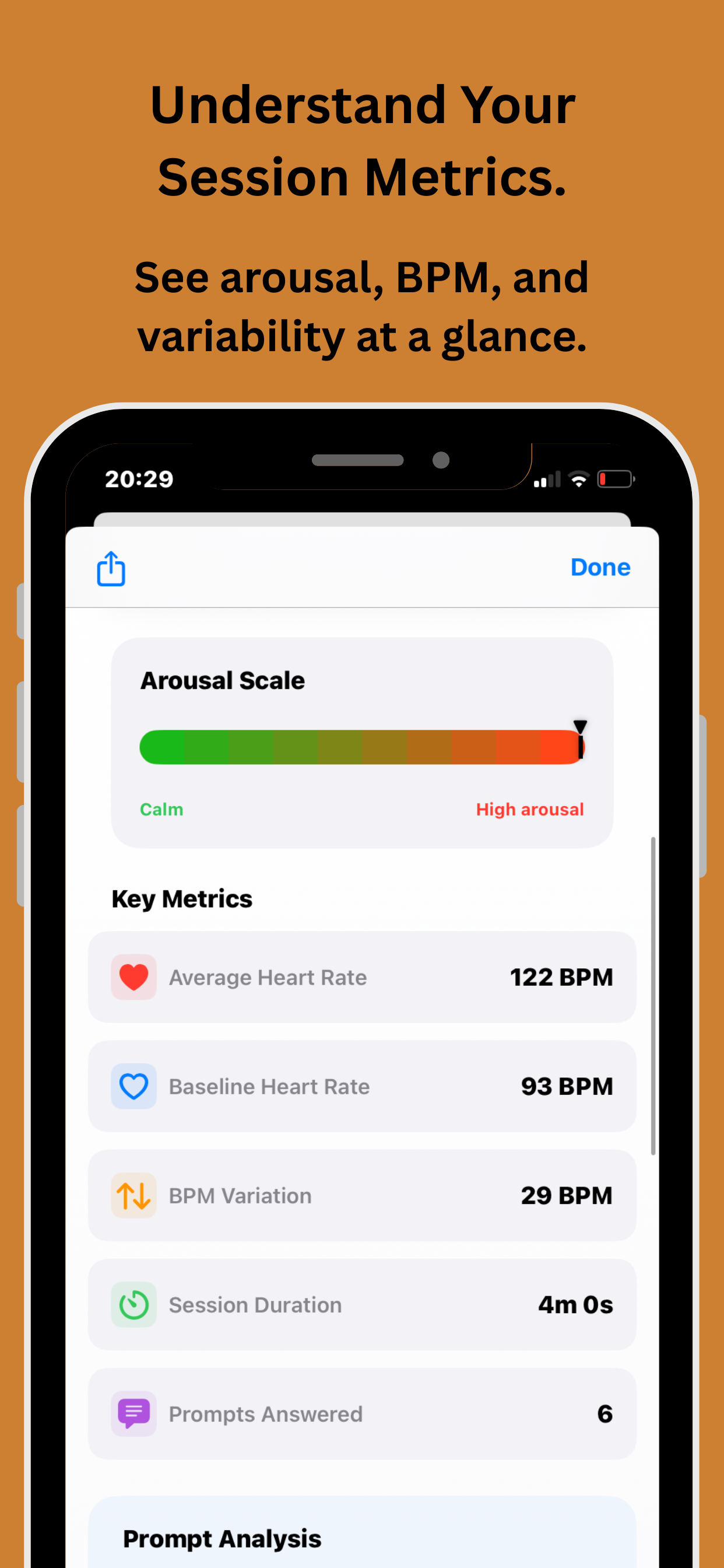
Comprehensive Metrics
Understand your session data with detailed metrics, patterns, and behavioral indicators
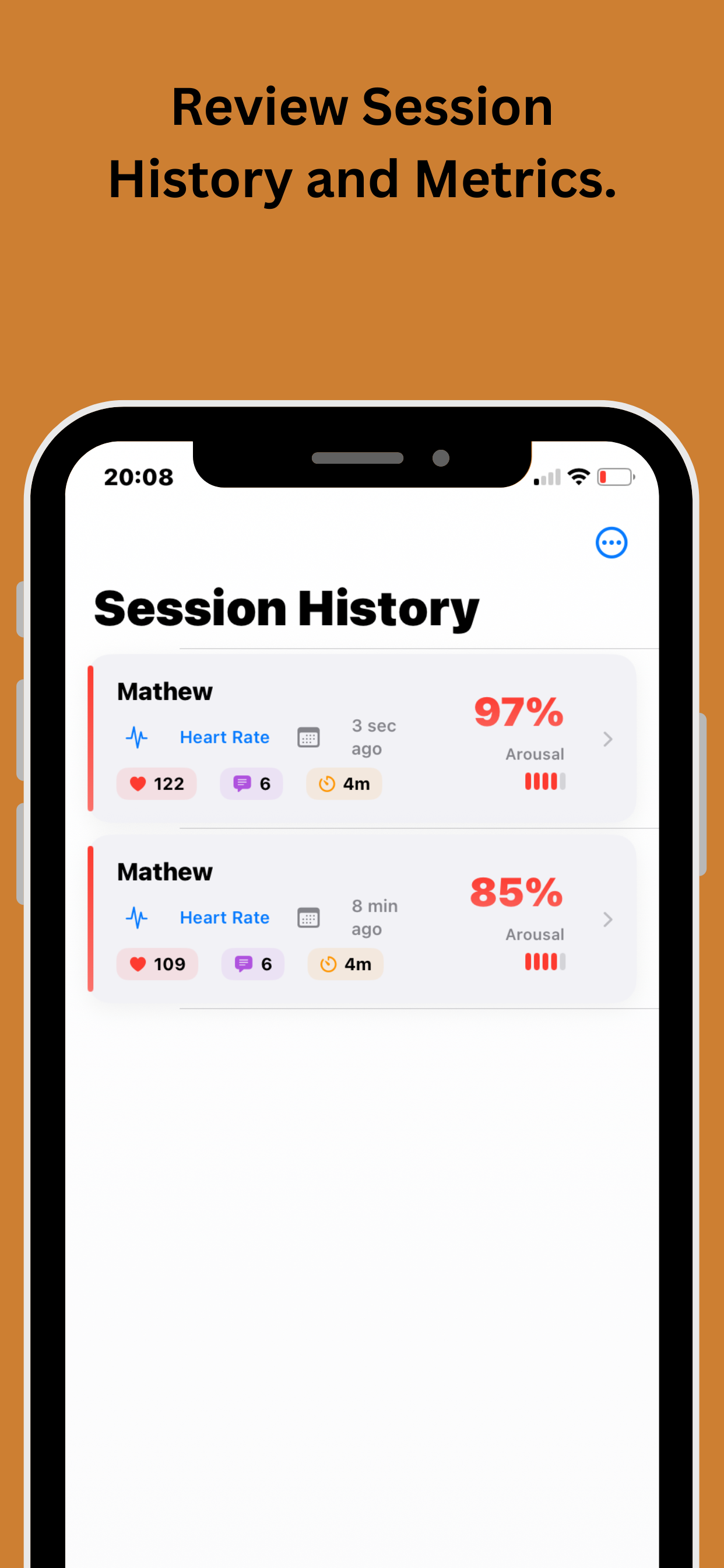
Complete Test History
Access all previous sessions with timestamps, results, and comparison analytics for tracking patterns over time
How the Lie Detector App Works
The app uses your iPhone's rear camera to detect real-time changes in your heart rate (BPM) during a guided questioning session. No wearables, no extra hardware — just your phone.
Baseline Calibration
The app begins with three neutral prompts to establish your resting BPM. This baseline is used to measure deviations when more pointed questions are introduced — making the results more meaningful than a flat reading.
Guided Questioning
You create your own yes/no questions or use suggested prompts. The subject holds their finger to the camera while answering. The app records real-time BPM for each response and charts any changes across the session.
Results & Breakdown
Once the session ends you get a full breakdown — overall deception reading, question-by-question BPM changes, stress indicators, and a session summary you can save or share. Every metric is explained in plain language.
Inside the App — Every Screen Explained
Nine dedicated screens guide you from setup to results. Here is what each one does and why it matters.
Easy Session Setup
Before any testing begins, the app walks you through a simple session configuration. You choose between solo or shared mode, set the number of questions, and decide whether to use custom questions or the built-in prompt library. Everything is confirmed before the session starts so there are no surprises mid-test.
Clear Pre-Test Guidance
The pre-test screen explains exactly how to position the finger on the camera lens for an accurate heart rate reading. It covers what to expect during the session, how long each question takes, and how to get the most reliable BPM data. First-time users find this screen removes any uncertainty before they start.
Breathing Technique Guide
A calm, accurate baseline depends on a stable resting heart rate. The app includes a short guided breathing exercise before calibration begins — typically a 30-second inhale/exhale rhythm that brings BPM to a natural resting level. This makes the deviation readings during questioning far more meaningful and reduces false positives caused by movement or nerves.
Custom Question Entry
You type in any yes/no questions you want to include. There is no limit on what you can ask — the app is designed to handle anything from lighthearted fun questions with friends to more specific scenarios. Questions are displayed one at a time during the session so the subject cannot see what is coming next.
Interactive Testing Process
During questioning the app shows a live BPM graph so you can see the heart rate in real time as each answer is given. The subject keeps their finger on the camera, the question appears on screen, and the app records the biometric response automatically. Sessions typically take three to five minutes from first question to final result.
Instant Results Analysis
The results screen gives an overall deception reading based on how much BPM deviated from the baseline across all answers. You also see which individual questions triggered the largest responses. Results are displayed clearly with a simple rating scale and a plain English summary — no technical jargon to decode.
Detailed Q&A Breakdown
A question-by-question view showing the exact BPM recorded for each answer alongside the deviation from baseline. You can scroll through every question, see the recorded value, and compare responses side by side. This is particularly useful when one or two answers stand out significantly from the rest of the session.
Comprehensive Session Metrics
Beyond the headline result, the metrics screen shows average BPM across the session, peak stress point, calmest response, overall variability score and a session quality indicator that tells you how clean the camera reading was. This gives you a fuller picture of the session rather than a single pass/fail number.
Complete Test History
Every session is saved automatically. The history screen lists all past sessions with date, subject name, number of questions and overall result. You can tap into any saved session to review the full breakdown again. Pro subscribers get unlimited history storage — free users retain their most recent sessions.
Free vs Pro — What You Get
The app is free to download with no card required. Pro unlocks unlimited sessions and full history for less than a coffee a week.
Free
- ✓ Camera-based BPM detection
- ✓ Baseline calibration
- ✓ Custom question entry
- ✓ Instant results screen
- ✓ Q&A breakdown
- ✗ Limited session history
- ✗ Unlimited sessions
- ✗ Full metrics export
Pro
- ✓ Everything in Free
- ✓ Unlimited sessions
- ✓ Full session history
- ✓ Export and share results
- ✓ Comprehensive metrics
- ✓ Priority support
- ✓ New features first
Subscription managed via Apple ID. Cancel any time in App Store account settings. No commitment required.
Who Uses the Lie Detector App
From social fun to personal curiosity, the app fits a wide range of situations.
Friends and Social Groups
A great addition to any social occasion. Take turns answering questions, compare results, and see whose BPM gives them away. The session history means you can revisit old results and settle debates later.
Couples and Relationships
Use it as a conversation starter or a lighthearted way to explore trust. The app provides a neutral, data-based reading rather than relying on gut feeling alone. Many couples use it as a fun bonding session as much as anything else.
Personal Stress Awareness
The metrics screens give you a genuine picture of how your heart rate responds to different types of questions and situations. Many users find it useful for understanding their own stress triggers and practising calmer responses.
Team Events and Icebreakers
Office parties, team building sessions and group events. The app works in shared mode so one device can run multiple sessions back to back. It generates conversation and a bit of friendly competition without any setup complexity.
App Information
Everything you need to know before downloading.
Frequently Asked Questions
Common questions about the DeceptionDetection lie detector app.
Is this a real lie detector or just for fun?
The app uses your iPhone camera to measure genuine heart rate changes — it is real biofeedback, not a random result. However it is an entertainment app and should not be used for any legal, professional or decision-making purpose. For a scientifically validated lie detector test, our professional P300 EEG service is available from £499.
Does it need any extra equipment?
No. You just need an iPhone running iOS 16.6 or later. The rear camera detects BPM changes through the fingertip — no wearable, no Bluetooth device, nothing to buy or pair. Just download and go.
What is the Pro subscription and do I need it?
Pro unlocks unlimited sessions, full history storage and results export. The free version is fully functional for occasional use. Pro is worth it if you use the app regularly or want to keep a long-term record of sessions. It costs £0.99 per week or £19.99 per year — cancel any time in your App Store account settings.
Does the app collect any of my data?
No data is collected. Apple has verified this in the App Store privacy section. Session results are stored locally on your device only and are never sent to any server. Your questions, results and BPM data stay on your phone.
What types of questions work best?
Yes/no questions about specific, factual things work best — for example "Did you eat the last biscuit?" or "Have you ever called in sick when you were fine?". Vague or emotionally loaded questions tend to produce less useful readings. Keep questions short, specific and answerable with a simple yes or no.
How is this different from a professional P300 EEG test?
A professional P300 EEG test measures involuntary brain wave responses using an 8-channel EEG headset and achieves 95% accuracy. The app uses camera-based heart rate detection and is designed for entertainment. Both are interesting — they just serve very different purposes at very different price points.
Need a Professional Result?
The app is built for fun and personal insight. If you need a legally credible, 95% accurate result for a relationship, workplace or legal matter, our professional P300 EEG testing service operates across the whole of the UK from £499.
Download the App Today
Join thousands of legal professionals, corporations, and individuals who trust our mobile platform for professional lie detection services.