Is an AirTag Tracking You?
How to check for an unwanted AirTag or Bluetooth tracker on your iPhone or Android, how to find it once you are alerted, and the crucial thing these alerts do not cover — the covert GPS trackers a phone can never see.
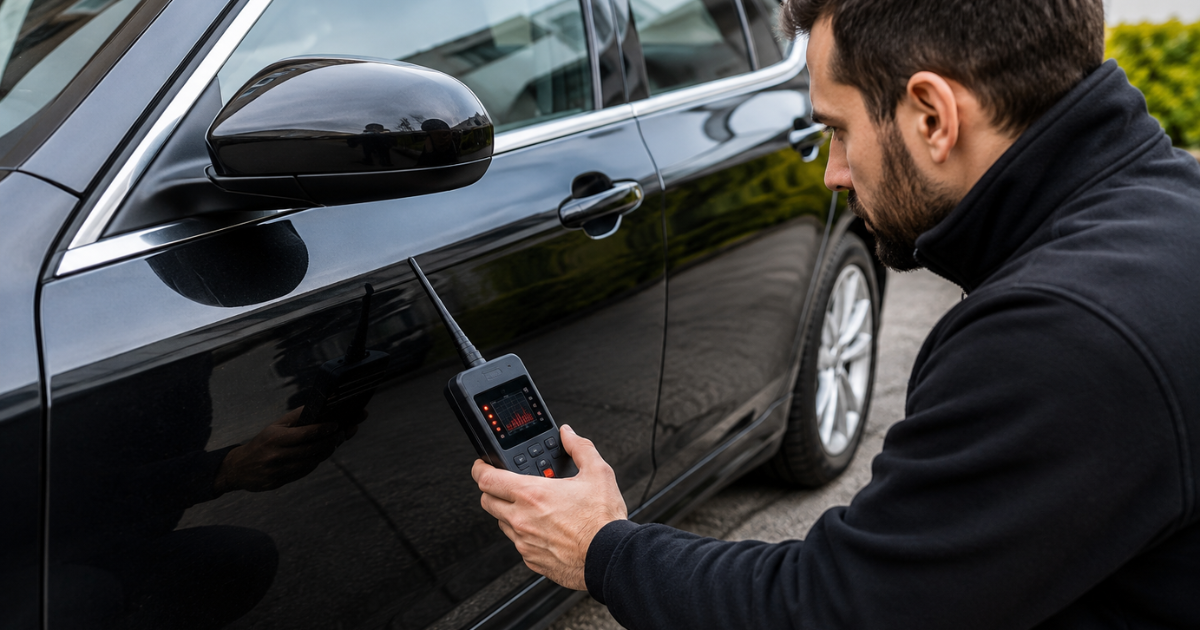
AirTags and similar Bluetooth tags are cheap, tiny and easy to hide, and they have been misused to track people. The good news is that phones are now built to catch them. The important caveat is that catching an AirTag is not the same as ruling out being tracked — so it is worth knowing both how to find one and where its limits lie.
On an iPhone
Unwanted tracking alerts are switched on by default. If an unknown AirTag or compatible tracker is moving with you over a period of time and away from its owner, your iPhone shows a “[Item] Found Moving With You” alert. Tap it and you can make the tracker play a sound, use Find My to locate it precisely, and see instructions to disable it. It is worth confirming the feature is on under Settings, in your Bluetooth and privacy options.
On an Android Phone
Since 2024, Android (version 6.0 and later) has the same protection. You will get an automatic unknown tracker alert when a tag is travelling with you, and you can run a manual scan at any time under Settings, Safety & emergency, Unknown tracker alerts, Scan now. Tapping an alert lets you play a sound to find the tag and see where it has been travelling with you. Holding certain tags to the back of your phone can also reveal identifying details about the owner.
Search the Car by Hand
Alongside the phone alerts, physically check the places a tag is easily dropped or hidden: inside bumpers, wheel arches, under and between seats, the boot and spare-wheel well, the glovebox, behind number plates, and in bags, coats and pushchairs that travel with you. An AirTag is small and light, so a methodical hand search often finds one faster than waiting for an alert.
Before you disable it
If there is any chance the tag was placed by an ex-partner or someone who could react badly, think before you remove it. Disabling it signals that you know, and it may be evidence. Where that applies, preserve it, note where you found it, and involve the police — our guidance on sweeps for stalking and domestic abuse sets out how to handle this safely.
The Limit You Must Know
This is the part that matters most. Phone alerts find Bluetooth tags only. They do not — and cannot — detect a covert cellular GPS tracker, which is what is typically used for serious vehicle tracking. Those units send location over the mobile network with no Bluetooth beacon, so no phone, and no scan, will ever show them. We explain this in full on our guide to whether a phone can detect a tracker.
So if you have checked for an AirTag and found nothing, but you still have real reason to believe you are being tracked, the next step is a professional vehicle tracker and bug sweep. We drive the car to wake motion-triggered units and check it electronically and by hand — the only reliable way to find a covert GPS tracker.
Part of a Bigger Picture?
If you are worried about being tracked, you may also want to know what someone is really doing, or verify what they are telling you. We also offer full private investigation and specialist EEG lie detection.
What Our Customers Say
Real results from real sweeps across the UK.
"Booked a bug sweep on my car after becoming suspicious that I was being tracked. The technician carried out a full inspection and located a tracking device hidden on the vehicle. Everything was explained clearly and professionally. Excellent service from start to finish."
"I was convinced there might be a listening device somewhere in my home, so I booked a full sweep for peace of mind. Nothing suspicious was found, but every room and the areas I was concerned about were thoroughly checked. I felt much more at ease afterwards."
"We arranged a sweep of a property after noticing a few things that didn't seem right. During the inspection a concealed camera was identified. The technician showed us exactly what had been found and where it was positioned. Very discreet and professional."
"We needed our office checked following concerns about confidential conversations. The team swept the meeting rooms, offices and communal areas and thankfully found no evidence of listening or recording equipment. Very thorough and handled confidentially."
"A tracking device was discovered during the sweep of one of our company vehicles. We would never have spotted it ourselves. The inspection was methodical and we were given clear information about what had been located. Would definitely recommend the service."
"Booked both my house and car to be checked. The car and property were inspected thoroughly and no hidden devices were detected. It was reassuring to have everything professionally checked rather than constantly wondering if something was there."
"I found something unusual in my property but had no idea what it was or whether I should be concerned. Deception Detection inspected the property and identified a suspicious recording device during the sweep. Professional, discreet and easy to deal with."
"We requested a comprehensive sweep after concerns about privacy. They checked for hidden cameras, listening devices and tracking equipment throughout the property. Nothing was found, which was exactly the reassurance we needed. The whole process was handled professionally and without any fuss."
Frequently Asked Questions
The questions we hear most about AirTags and Bluetooth trackers.
If you have an iPhone, unwanted tracking alerts are on by default and you will see a “Found Moving With You” notification if an unknown AirTag travels with you over time. On Android (6.0 and later) you get the same automatic alert and can also scan manually under Settings, Safety & emergency, Unknown tracker alerts. If nothing else, a separated AirTag will eventually play a sound by itself.
Tap the notification. You can make the AirTag play a sound to locate it, and on an iPhone use the Find My precision features to home in on it. Once you have it, holding it to the top of your phone (NFC) opens a page showing its serial number and the last four digits of the owner's phone number — useful information for the police.
Common spots are inside a bumper, in a wheel arch, under a seat, in the boot or spare-wheel well, in the glovebox, behind a number plate, or slipped into a bag or coat pocket. They are small, so a hand search of these places is worthwhile alongside your phone's alerts.
No — and this is the key point. Phone alerts only find Bluetooth tags like AirTags. They do not detect the covert cellular GPS trackers usually used for serious vehicle tracking, which are invisible to any phone. If you have ruled out an AirTag but still believe you are tracked, you need a professional vehicle sweep.
Be careful if it may involve an ex-partner or someone dangerous. Disabling it tells them you have found it, and it may be evidence. Consider preserving it, documenting where it was, and involving the police — particularly if this is part of a wider pattern of being followed or monitored.
No. An AirTag has its own power and reports through other people's Apple devices via the Find My network, so it does not rely on your phone's Bluetooth. Turning your Bluetooth off only stops your phone from detecting it.
If your circumstances give you real reason to worry — an abusive or controlling ex, a pattern of someone knowing your movements — treat the AirTag as the low-tech end of the problem and arrange a full sweep. See our guidance on sweeps for stalking and domestic abuse.
Ruled Out an AirTag but Still Worried?
If your phone is clear but you still think you are being tracked, email us in confidence. We will arrange a discreet vehicle sweep that finds the trackers a phone cannot.
Email in Confidence